

By Alex Mercer, Podcast Producer
If you are a podcaster, you know the feeling. You just wrapped up an incredible one-hour interview with a high-profile guest. The conversation was flowing, the energy was high, and you know you have gold on your hands.
Then, you hit "Stop Recording," and the dread sets in.
Now comes the post-production grind. Not the audio editing—that’s the fun part—but the administrative nightmare: listening back to the whole episode to write show notes, manually typing out timestamps for the "best moments," and trying to transcribe catchy quotes for social media.
For years, this process took me longer than the actual recording. I needed a way to automate the busy work so I could focus on the creative work.
That is when I discovered SubEasy, and it completely changed how I manage my show. Here is how I use it to turn a raw audio file into a full content suite in under 20 minutes.
The Challenge: The "Show Notes" Bottleneck
My specific pain point was simple: Volume.
I interview guests for 60 minutes. To get a good SEO description for Spotify or Apple Podcasts, I used to have to re-listen to the entire track to find the key topics. If I wanted to write a blog post to go with the episode? That was another three hours of writing.
I needed a tool that could handle high-accuracy transcription and intelligent summarization. Standard transcription tools weren't enough; I needed something that understood context.
Step 1: Precision Transcription with Whisper Models
The first thing I noticed about SubEasy is the accuracy. It utilizes the OpenAI Whisper model, optimized further by SubEasy’s engineers.
My podcast often has crosstalk (people talking over each other) and sometimes background noise if we are recording on location. I uploaded my latest episode, and SubEasy’s "Clear+” feature cleaned up the ambient noise before processing.
The result? A transcript that was 99% accurate, even with technical jargon. This creates a solid foundation for everything else.
Step 2: Automatic Speaker Identification (Diarization)
This is a dealbreaker feature for interview podcasts. In the past, other tools would give me a block of text where I couldn't tell where my question ended and the guest's answer began.
SubEasy features powerful Speaker Identification. It automatically detected:
- Speaker 1 (Me)
- Speaker 2 (My Guest)
It labeled every sentence correctly. This is crucial when I need to pull a specific quote attributed to the guest for a Twitter/X graphic. I no longer have to manually label the speakers—SubEasy does the heavy lifting.
Step 3: The Game Changer – AI Summaries & Shownotes
This is where I save the most time. Once the transcription is done, I don't sit down and write the show notes from scratch.
I use SubEasy’s AI Summary feature. With one click, it analyzes the entire hour-long conversation and generates:
- A concise episode summary.
- Key takeaways and bullet points.
- A structured meeting minute style overview.
It essentially writes my podcast description for me. What used to take me 45 minutes now takes 45 seconds.
Step 4: Repurposing Content (Audio to Blog)
Here is my favorite SEO hack. Search engines can't "listen" to audio, but they can "read" text. To grow my podcast, I need written content on my website.
SubEasy has a built-in "Ask ChatGPT" feature right next to the transcript. I don't have to copy-paste text into another AI tool. I simply type a prompt like this:
"Based on this transcript, write a 1,500-word in-depth blog post. Focus on the guest's insights about AI trends. Keep the tone professional but engaging."
SubEasy reads the context of the interview and spits out a perfectly formatted blog post. It even retains the "sharp viewpoints" of my guest without me having to manually transcribe them.
Why SubEasy is Essential for Podcasters
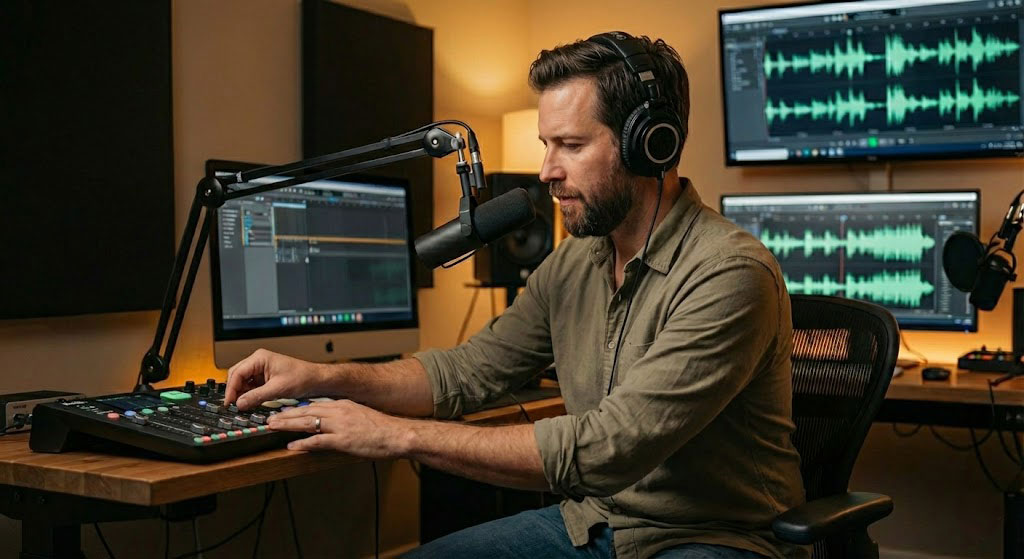
Beyond just the transcription, the toolkit is built for creators:
- Multi-language Support: Sometimes I have international guests. SubEasy supports 100+ languages and offers context-aware translation.
- Export Options: I can export straight to SRT for video subtitles or DOCX for my blog team.
- Cost-Effective: Compared to hiring a human transcriptionist, the ROI on the subscription is massive.
Final Thoughts
As a creator, your time is your most valuable asset. You should be spending it finding great guests and asking better questions, not typing out timestamps.
SubEasy has transformed my workflow from a manual slog into a streamlined, AI-powered system. If you are looking to level up your podcast's SEO and efficiency, I highly recommend giving it a try.
"I thought this footage was unsalvageable..."
In our next post, we share the real story of a Freelance Editor facing every editor's worst nightmare: street interview footage drowning in noise. Read how he used SubEasy’s "Pure Speech" mode to miraculously clear up the audio and export perfect XMLs to Premiere Pro, saving him hours of painful manual listening.
👉 Read the User Story: How One Editor Conquered Noisy Street Interviews