

- Original text
- Ayer fuimos al campo.
- Yesterday we went to the field.
- ChatGPT
- Yesterday we went to the countryside.
- SubEasy.ai
- Yesterday we went to the countryside.
How to translate Spanish audio/video to English?
Upload and Transcribe Your Audio/Video File
Prepare your Spanish audio or video file for translation. Simply click the “Select File” button to upload it from your device. Once uploaded, our tool will automatically transcribe the Spanish audio or video into text.
Start the Translation Process
Click the "Translate" button and select English as your target language. Choose from the following translation modes to suit your needs:
- Automated Translation: Free, powered by Microsoft Translate, but with basic quality.
- AI Translation: High-quality translation using advanced AI models, ideal for general users.
- AI Plus Translation: Superior quality, offering near-professional translations, perfect for demanding tasks.
Review and Adjust the Translated Text
After the translation is complete, review the English text to ensure it meets your expectations. Make any necessary adjustments directly within the tool for precision.
Export Your Translated Text
When you're satisfied with the translation, click the "Export" button and select your desired file format. Your download will start automatically, ensuring a seamless and efficient experience.
Translations that match expert human quality
The first ever deep context-aware subtitle translation service
- Original text
- No para jugar al fútbol,
- Not to play football,
- ChatGPT
- Not to play soccer,
- SubEasy.ai
- Not to play soccer,
- Original text
- sino para disfrutar de la tranquilidad y la naturaleza.
- but to enjoy the tranquility and nature.
- ChatGPT
- but to enjoy the peace and quiet of nature.
- SubEasy.ai
- but to enjoy the peace and quiet of nature.
- Original text
- Pasamos todo el día allí.
- We spent the whole day there.
- ChatGPT
- We spent the whole day there.
- SubEasy.ai
- We spent the whole day there.
- Original text
- Luego, vimos un banco al lado del parque.
- Then, we saw a bench next to the park.
- ChatGPT
- Later, we saw a bench next to the park.
- SubEasy.ai
- Later, we saw a bank next to the park.
- Original text
- No era un lugar para descansar las piernas, sino para guardar dinero.
- It was not a place to rest your legs, but a place to keep your money.
- ChatGPT
- It wasn't a place to rest your legs, but a place to store your money.
- SubEasy.ai
- It wasn't a place to rest your legs, but a place to store your money.
| Original text | ChatGPT | |
|---|---|---|
| Ayer fuimos al campo. | Yesterday we went to the field. | Yesterday we went to the countryside. |
| No para jugar al fútbol, | Not to play football, | Not to play soccer, |
| sino para disfrutar de la tranquilidad y la naturaleza. | but to enjoy the tranquility and nature. | but to enjoy the peace and quiet of nature. |
| Pasamos todo el día allí. | We spent the whole day there. | We spent the whole day there. |
| Luego, vimos un banco al lado del parque. | Then, we saw a bench next to the park. | Later, we saw a bench next to the park. |
| No era un lugar para descansar las piernas, sino para guardar dinero. | It was not a place to rest your legs, but a place to keep your money. | It wasn't a place to rest your legs, but a place to store your money. |
SubEasy.ai
Yesterday we went to the countryside.
Not to play soccer,
but to enjoy the peace and quiet of nature.
We spent the whole day there.
Later, we saw a bank next to the park.
It wasn't a place to rest your legs, but a place to store your money.
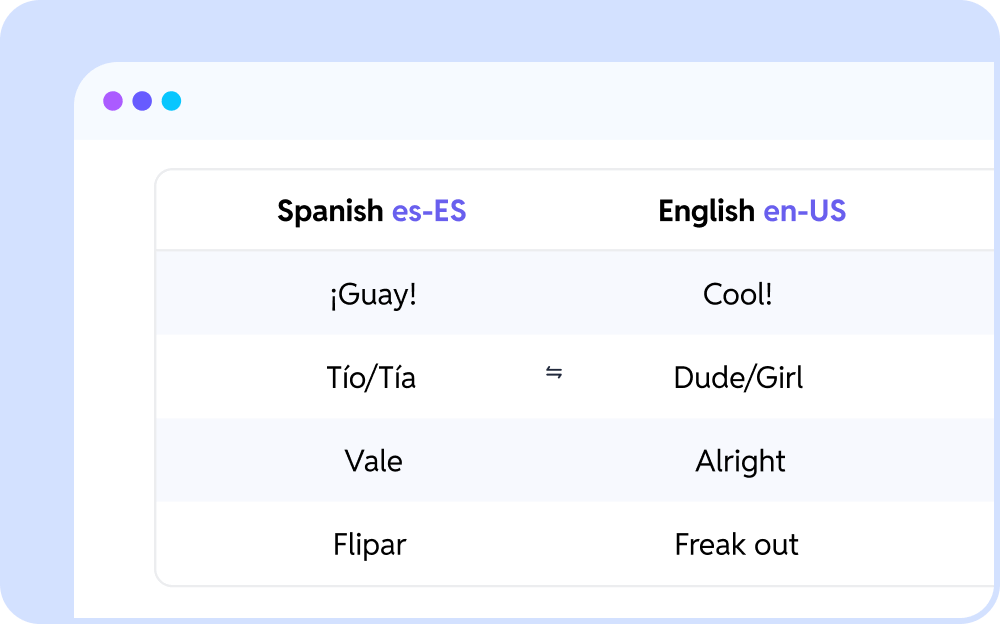
Customizable Translation Glossaries
Ensure accurate and consistent translations by setting customized definitions for key terms and names.
Complete Subtitle/Captions and Video Creation Solution
All-in-one solution with high-precision transcription, translation, proofreading, and export of subtitles and videos
Various Subtitle Styles
Customizable subtitle fonts, style and effects with multilingual support
One-Click Export of Finalized Video/Subtitles/Captions
Subtitle embedding with one-click video export.
Multi-Format Support
Compatible with various output formats, including .mp4, .srt, .ass, .lrc, .txt, .vtt, .doc, .md, and more.
Frequantly Asked Questions
1. Start by uploading your Spanish audio or video file to our platform.
2. SubEasy will automatically transcribe the audio or video content into text.
3. After transcription is complete, select English as the target language and choose your preferred translation mode to proceed.
4. SubEasy will translate the transcribed text into English. You can then review the translation, make any necessary adjustments, and download the final text or the video with English subtitles easily.
Trusted by thousands of users
Hear what SubEasy users are saying



With my slight hearing impairment, it's often hard to catch everything in lectures, but SubEasy has been a huge help. Being able to transcribe and review the amazing lectures has really helped me advance in my studies.
Therapeutical Studies student
Me'ir
SubEasy.al is the most friendly and neatest AI-transcribing app among others that I've tried. Keep it up!
DW
SubEasy.ai User
Darcy Wang
You Might Be Interested In
Translate Audio / Video
- Translate Spanish Audio/Video To English
- Translate French Audio/Video To English
- Translate German Audio/Video To English
- Translate Dutch Audio/Video To English
- Translate Portuguese Audio/Video To English
- Translate Russian Audio/Video To English
- Translate Italian Audio/Video To English
- Translate Polish Audio/Video To English
- Translate Japanese Audio/Video To English
- Translate Korean Audio/Video To English
- Translate Mandarin Audio/Video To English
- Translate Traditional Chinese Audio/Video To English
- Translate Simplified Chinese Audio/Video To English
v1.0.0.260408-1-7148bda_os