

In the age of digital learning and global content, YouTube has become the world’s largest classroom. However, simply watching a video isn’t always enough. Whether you are a language learner mastering a new dialect, a student organizing study notes, or a content creator seeking inspiration from video scripts, having a text version of a video is a game-changer.
If you are looking for a way to download YouTube subtitles quickly and accurately, you’ve come to the right place. In this guide, we’ll show you how to use the SubEasy YouTube Subtitle Downloader to get the transcripts you need in seconds.
Why You Should Download YouTube Subtitles
Extracting text from video content offers several professional and educational advantages:
- Accelerated Language Learning: Having a digital copy of the subtitles allows you to study vocabulary at your own pace and practice "shadowing" techniques.
- Content Repurposing: Bloggers and social media managers often download transcripts to turn video insights into written articles or social media posts.
- Accessibility and Offline Reading: Subtitles are essential for those who prefer reading over listening or for watching videos in environments where you can't use audio.
- Deep Research: Instead of scrubbing through a 20-minute video, you can simply use "Ctrl+F" on a text file to find the specific quote or data point you need instantly.
How to Use SubEasy’s YouTube Subtitle Downloader
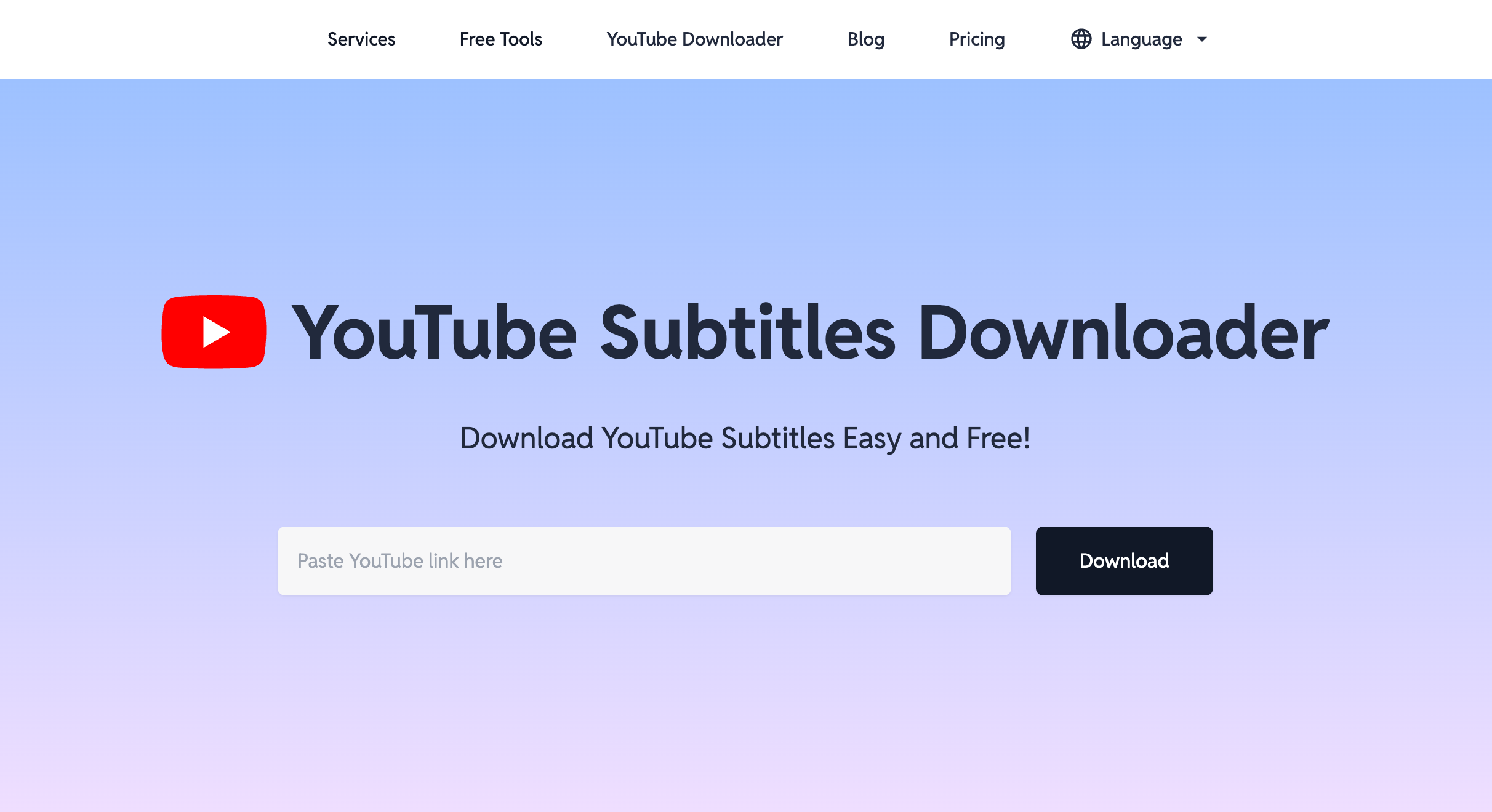
We’ve designed the SubEasy YouTube Subtitle Downloader to be the most intuitive tool on the web. No registration is required, and there are no cluttered ads to distract you.
Step 1: Copy the Video URL
Go to YouTube and find the video you want to transcribe. Copy the URL from your browser’s address bar.
Step 2: Paste and Analyze
Head over to the SubEasy tool page. Paste the link into the search box and click the "Download" or "Analyze" button.
Step 3: Select Your Format and Download
SubEasy allows you to choose between various formats to save directly to your device:
- SRT: The standard subtitle format, perfect for uploading to video players or professional editing software.
- VTT: A modern format commonly used for web-based players (HTML5).
- TXT: Plain text format, ideal for reading, note-taking, and easy copy-pasting.
Go Beyond Downloading: You can also choose to open your subtitles directly in the SubEasy Workspace. From there, you can edit the text or use our AI features to generate an instant AI Summary of the video content, saving you hours of manual work.
Power Up Your Workflow with SubEasy AI
Downloading subtitles is just the beginning. To truly streamline your content process, SubEasy offers an ecosystem of AI-powered tools:
- Generate Viral Titles: If you are repurposing a video for your own channel, use our YouTube Title Generator. Simply input your topic and desired tone, and let the AI generate high-CTR headlines for you.
- High-Accuracy Transcription & AI Dubbing: For those who need professional-grade audio/video transcription, multi-language translation, or even AI Voiceovers (Dubbing), visit the SubEasy Workspace. Our advanced AI ensures your content is processed with contextual logic and precision.
- Download Video Files: If you need the actual video file for offline study, you can also use our YouTube Downloader to save the MP4 directly.
Frequently Asked Questions (FAQ)
Is it legal to download YouTube subtitles?
Yes, downloading subtitles for personal use, education, or research is generally considered fair use. However, always respect the original creator's copyright if you plan to redistribute the content.
Why can't I find subtitles for some videos?
A video must have either "Closed Captions (CC)" or "Auto-generated subtitles" enabled on YouTube for our tool to extract them. If the creator has disabled these, a transcript cannot be generated.
Can I download subtitles in different languages?
Absolutely. If a video has multiple language tracks (such as English, Chinese, or Japanese), SubEasy allows you to select your preferred language before downloading.
Ready to get started?
Stop wasting time manually typing out notes. Try the SubEasy YouTube Subtitle Downloader now and turn any video into a searchable, readable document with one click.